


Most website owners have the same experience with analytics. They log in, see their numbers going up or down — and close the tab without knowing what to do about it.
Not because the data isn’t there. Because the data doesn’t tell you what to do.
What does a 12% drop in sessions actually mean? Is your bounce rate a problem, or is it normal for your industry? Which piece of content should you focus on next? Analytics dashboards are great at showing you what happened. They’re not great at telling you why — or what to do about it.
That’s the gap MonsterInsights 10.2 is built to close. Charlie Chat is a conversational AI assistant built directly into the MonsterInsights dashboard. Ask it a plain-English question, get a specific answer pulled from your actual GA4 data, and walk away knowing exactly what to do next.
What’s New in MonsterInsights 10.2
With the latest MonsterInsights release, you’re getting:
- Charlie Chat — Ask your analytics plain-English questions and get specific, actionable answers (available to all users, including Lite)
- Improved Notification Center — A redesigned notifications experience with tabs to organize, save, and archive
Charlie Chat: From Data to Answers in Seconds
Charlie Chat is a conversational AI assistant that lives inside your MonsterInsights dashboard.
It connects directly to your GA4 data and turns your questions into specific, actionable answers — no data analysis experience required.
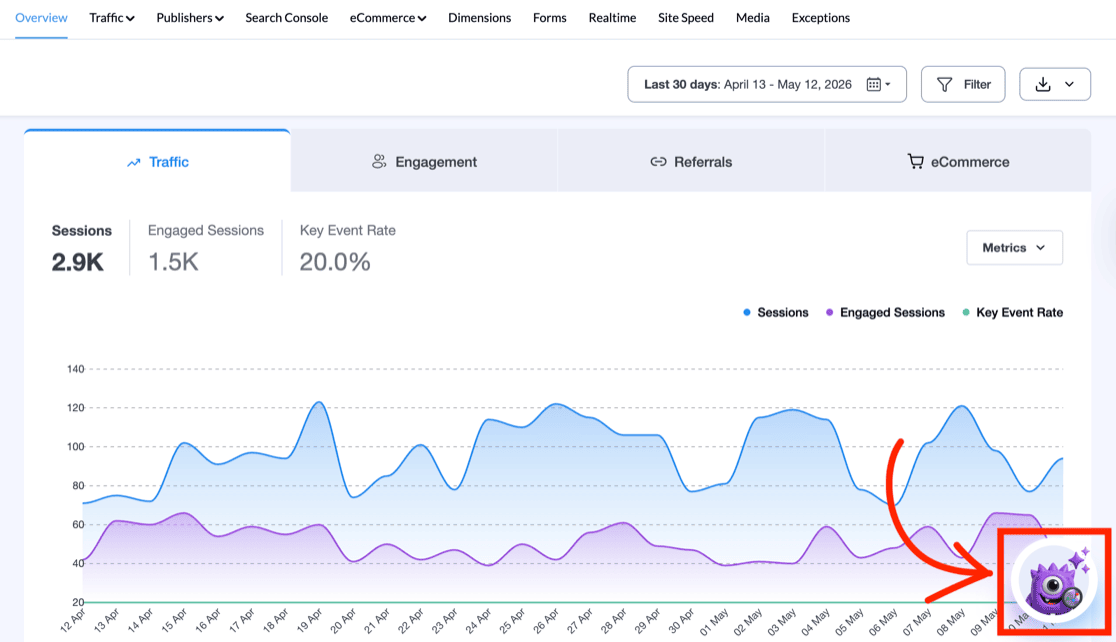
To open it, look for the Charlie icon in the bottom right corner of the MonsterInsights Reports screen and click it.
Getting Started Is as Simple as Asking a Question
When Charlie opens, you’ll see a set of suggested questions to help you get started quickly — things like “How many visitors did I get this week?” or “How are my sales doing?”
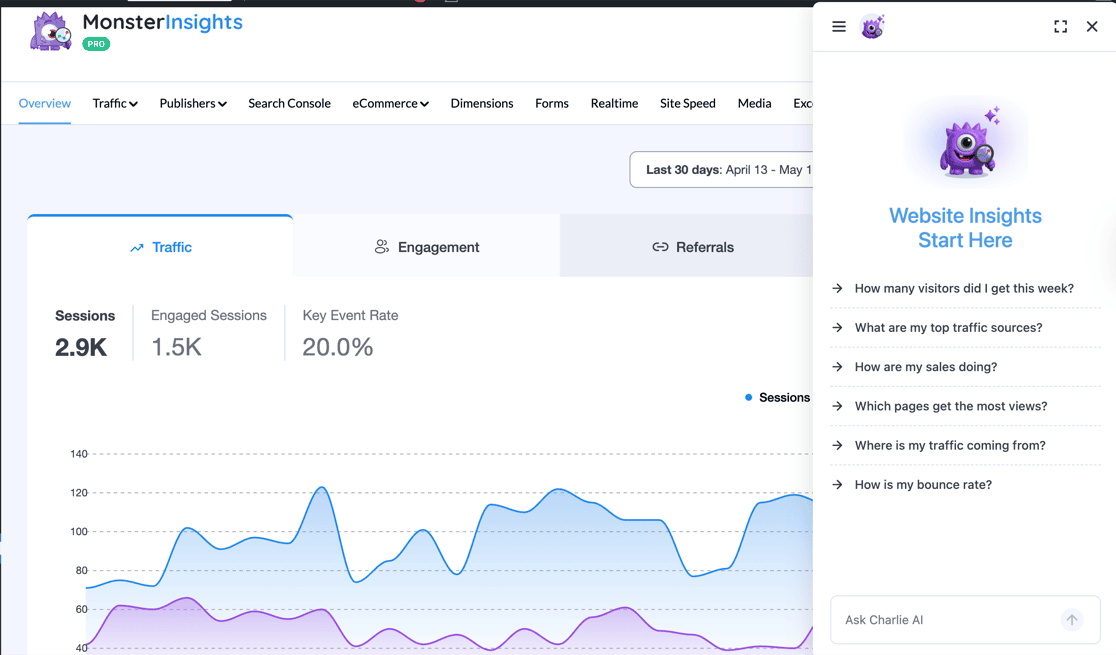
You can also enter any question you have in the input field at the bottom.
Plain-English Questions, Specific Answers
Charlie doesn’t just surface data — it explains what the data means and tells you what to do about it.
Ask a question and you’ll get a response that breaks down your current performance, compares it to the previous period, and explains what it all means in plain language.

Every response includes a Recommended Action — a specific next step based on what your data is actually showing.
You’ll also see Quick Key Insights, one-click shortcuts that take you directly to the most relevant reports in your dashboard.

This is what sets Charlie Chat apart from a standard analytics report — it doesn’t just show you the numbers, it tells you what they mean for your specific site and what to do next.
Ask About Traffic, eCommerce, SEO, and More
Charlie can answer questions across every area of your site analytics.
For instance, you can ask about your cart abandonment rate and get a performance comparison — current period versus the last — with plain-language context on what the numbers mean for your store.

Ask about your SEO and Charlie walks you through exactly what the data shows — and gives you prioritized steps to act on it.
Use the Pin button in the chat header to save any response you’ll want to revisit.

The questions Charlie can answer scale with the data available in your account.
If your plan includes the eCommerce addon, Charlie can go deeper on purchases, revenue, and cart performance. The more you’ve unlocked, the more Charlie can tell you.
Pin Conversations, Browse History, Come Back Anytime
Charlie is designed for the questions you return to regularly. Click the menu icon in the top left of the panel to start a new chat, access your pinned conversations, or scroll through your full history.

Pinned conversations are saved to their own view so your most useful answers are always one click away — no need to retype the same question each week when you want a fresh look at the data.

Your full conversation history is always accessible — a complete log of every question you’ve asked and every answer Charlie has given, so you can track how your site’s story is changing over time.

Charlie Chat is available to all MonsterInsights users, including Lite — no upgrade needed to get started.
And a quick note for users who’ve been using AI Insights or Conversations AI: Charlie Chat brings both of those features together into a single, faster, smarter experience. Both will be retired with this update.
Charlie Chat Is Perfect For:
- Small business owners who want to understand what’s happening on their site without becoming data analysts.
- eCommerce stores that need fast answers about sales trends, cart abandonment, and revenue performance.
- Bloggers and content creators who want to know which posts to update, refresh, or put more effort behind.
- Marketing managers who need clear answers quickly — not a 30-minute deep dive into reports.
- Anyone who’s ever opened their analytics and closed the tab without acting — this feature was built for you.
Also in 10.2: An Improved Notification Center
MonsterInsights 10.2 also ships with a redesigned Notification Center. You’ll find it in the top right of your dashboard — the bell icon with the unread badge.
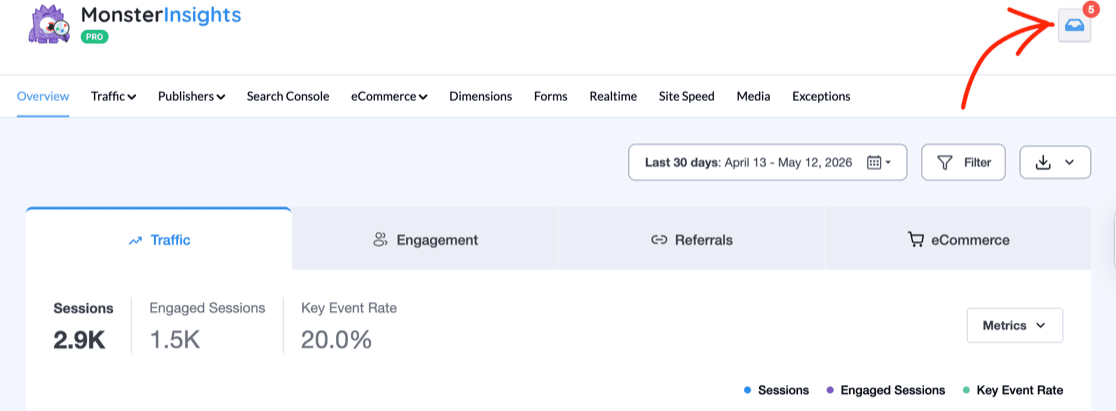
The updated design adds three tabs — All, Archived, and Saved — making it easier to find notifications that need action, save the ones you want to reference later, and keep everything organized.

It’s a small but meaningful improvement — everything you need to stay on top of your account and site recommendations, all without leaving your WordPress dashboard.
Ready to Ask Your First Question?
Think about the last time you opened your analytics and left without knowing what to do. Charlie Chat closes that gap — turning your dashboard from a reporting tool into something that actually tells you what to do next.
If you’re already a MonsterInsights user, update to version 10.2 and click the Charlie icon to get started. No setup required.
Get Answers From Your Analytics Today
MonsterInsights connects your WordPress site to Google Analytics 4 and now puts a personal analytics expert right in your dashboard. Stop staring at data — start getting answers.
That’s it for this release! I hope Charlie Chat makes your analytics workflow simpler and more effective.
Curious about what else we’ve been up to? Check out some of our recent articles and updates:
- New in MonsterInsights: Visual SEO Reports and LinkedIn Ads Tracking
- [NEW] Block-Based Conversion Tracking + Auto-Synced Site Notes
- How to Use Google Analytics and AI to Grow Faster
- How to Set Up WooCommerce Google Analytics Tracking
- Google Analytics Reports: The Ultimate Guide (GA4)
Not using MonsterInsights yet? Get started today!
Finally, stay connected with us on YouTube for the latest Google Analytics and WordPress tips and tutorials.
