Finally Know What Your Customers Did Before They Bought
MonsterInsights User Journey tracking shows you the exact path each customer took through your site before completing a purchase – every page visited, every second spent, and every step leading to the sale – all inside your WordPress dashboard, no code required.
Finally, WordPress User Journey Analytics that’s both Easy and Powerful
MonsterInsights makes the full customer path visible and actionable inside your WordPress dashboard. Here are the features that make MonsterInsights User Journey the best plugin for understanding how your customers actually buy.
Step-by-Step Journey View
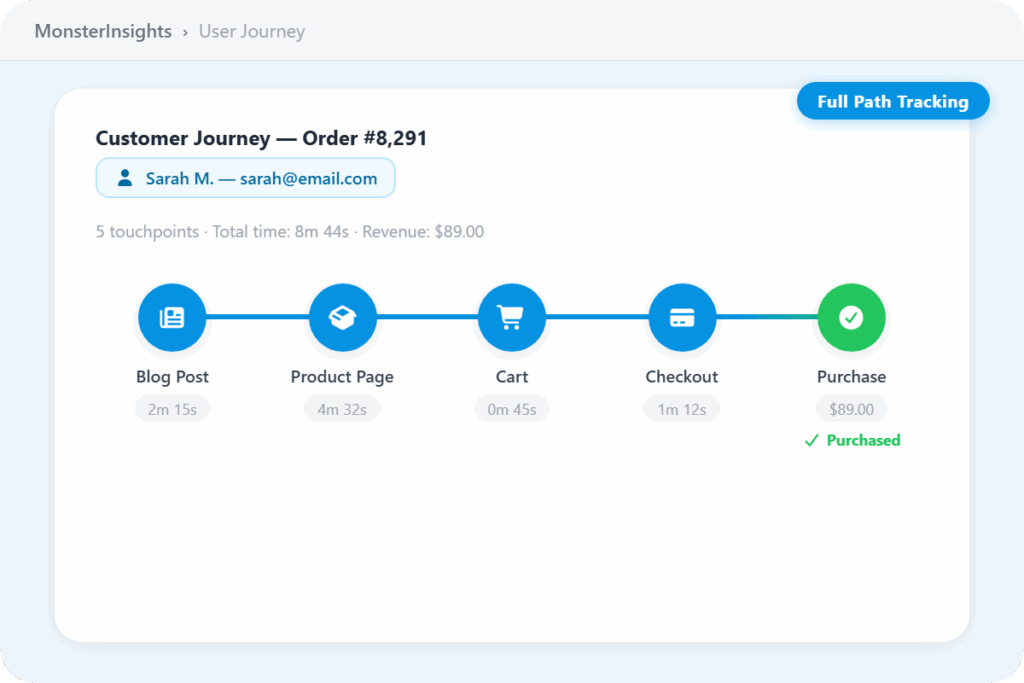
See every page a customer visited, in the exact order they visited them, from first landing to completed purchase. Get the full story of how a sale actually happened – not just that it did.
Time per Step, Down to the Minute
See how long each customer spent on every step of their journey, measured to the minute. Know whether someone browsed for 30 seconds or 30 minutes before buying – and what that means for your funnel.
Time on Each Page, Down to the Second
Go deeper than step-level timing. See how many seconds each customer spent on individual pages and products so you know exactly where attention is high and where it drops off.
Every URL Tracked
See the exact address of every page a customer visited – blog post, homepage, product page, or landing page. Understand the full role each part of your site plays in driving a purchase.
Order-Level Journey Access
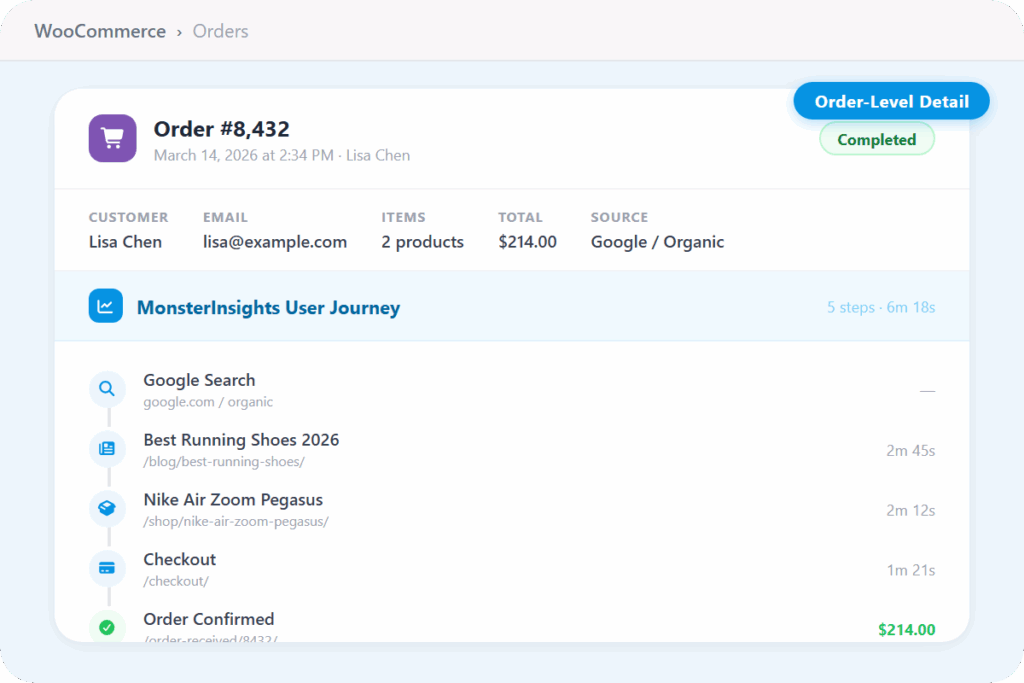
Click into any individual transaction and see the full journey that led to it. Match every order to the precise path that customer took – right from within your eCommerce order records.
Campaign & UTM Attribution
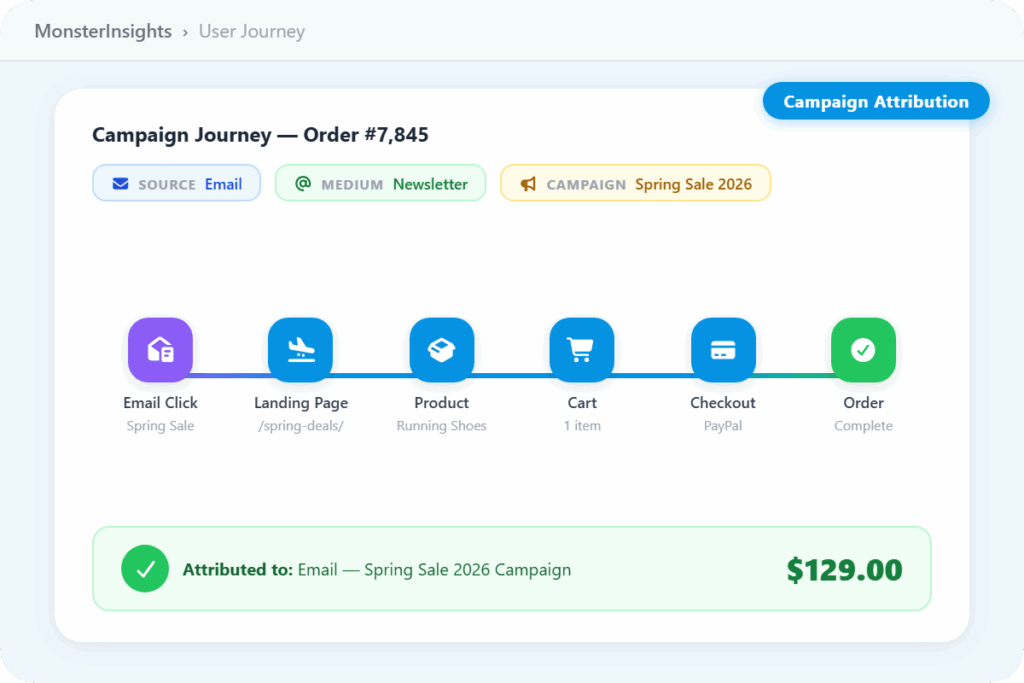
See which marketing campaign, traffic source, or ad first brought each customer to your site. Connect your email, social, and paid efforts to the orders they actually generated.
Friction Point Identification
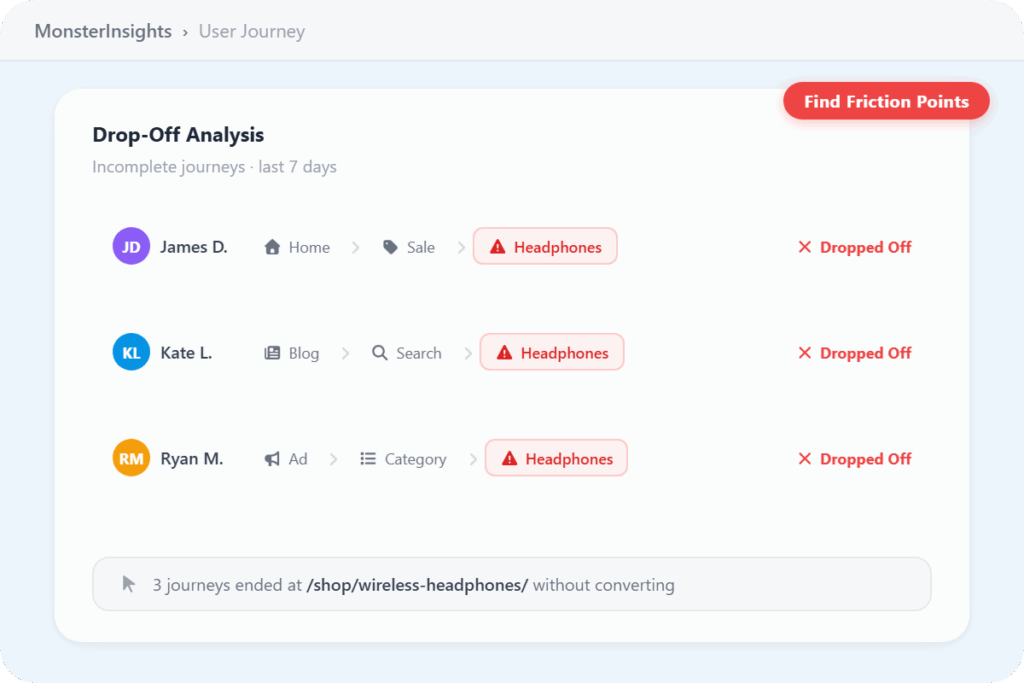
Spot where customers are dropping off before they convert. See which pages or steps consistently appear in abandoned journeys and use that data to remove friction from your checkout flow.
Journey Overview Report
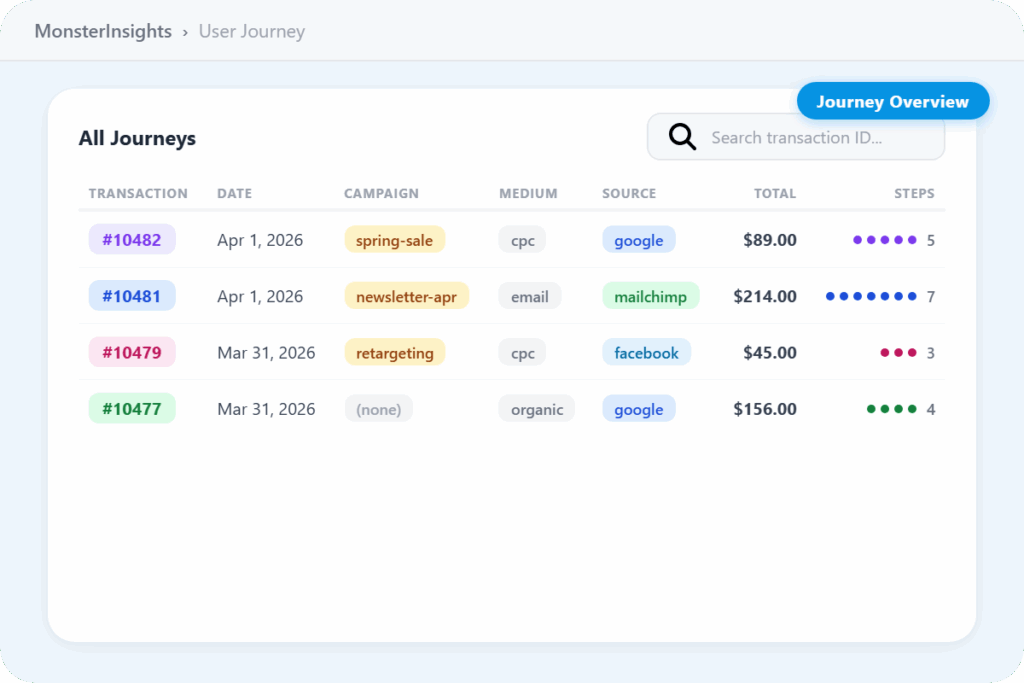
Get a high-level view of all customer journeys from one report. Find patterns across purchases, compare paths, and identify which routes through your site convert most reliably.
eCommerce Integrations
Works out of the box with WooCommerce, Easy Digital Downloads, GiveWP, LifterLMS, MemberPress, and Restrict Content Pro. One setup, full journey tracking across every major WordPress eCommerce platform.
Why Over 3 Million Users
MonsterInsights for Tracking User Journeys
Here are just a few reasons why site owners, eCommerce stores, and marketing teams rely on MonsterInsights to understand exactly how visitors move through their site – because traffic without context is just noise.
See Every Step Your Customers Took – From First Page to Final Purchase
Standard analytics tells you a sale happened. User Journey tells you the whole story. MonsterInsights tracks every page each customer visited before converting – the exact URL, the order of each step, and the time spent at every point – so you can see exactly which content, pages, and paths lead people to buy.
Whether a customer came in through a blog post and spent 20 minutes browsing before purchasing, or landed on a product page and checked out in two minutes, you see it all, right inside your WordPress dashboard.
Pinpoint Exactly Where Customers Drop Off Before They Buy
Knowing your conversion rate tells you how many people bought. User Journey tells you where the ones who didn’t buy actually left.
You can see which pages appear consistently in abandoned journeys, how long customers spent there before dropping off, and which steps are creating friction in your checkout flow – so instead of guessing at what to fix, you fix the thing that’s actually costing you sales.
Connect Every Sale to the Campaign That Started It
Most store owners run email, social, and paid ads and have no clear picture of which one actually converts. User Journey includes full campaign attribution – so every customer path starts with where they came from: the specific campaign, source, and medium that first brought them to your site.
See which marketing efforts send customers who actually buy, not just customers who click, and put your budget behind what works.
See the Full Journey Behind Any Order – Right Inside Your Store
When you open any order in WooCommerce, Easy Digital Downloads, MemberPress, GiveWP, LifterLMS, or Restrict Content Pro, you’ll find a “User Journey by MonsterInsights” section right inside the order record. No separate report to open, no switching tools. Scroll down and you see every page that customer visited, every second they spent, and every step from their first click to their final purchase.
It works across all six integrations out of the box – install once, and every order gets its journey detail automatically.
See Every Order’s Journey at a Glance – Before You Even Click In
The individual journey views and order records give you the full detail on any specific customer. But before you get there, the User Journey overview report gives you the full list – every recent transaction, each showing the purchase date, order total, steps to purchase, and UTM breakdown so you can see at a glance where each buyer came from.
Everything is under Insights » User Journey inside WordPress. No Google Analytics, no exports, no separate tools.
Frequently Asked Questions
Do you have questions about MonsterInsights? See the list below for our most frequently asked questions. If your question is not listed here, then please contact us.
User Journey tracking shows you the complete path each customer took through your site before completing a purchase. It records every page visited, the exact URL of each page, the time spent at every step down to the second, and the order in which each page was viewed – giving you a full picture of how each sale actually happened.
You can access User Journey data in two places: the full overview report at Insights » User Journey, which shows all recent customer journeys, and inside individual order records across your eCommerce platform, where a User Journey panel shows the complete path for that specific transaction.
User Journey works with WooCommerce, Easy Digital Downloads, GiveWP, LifterLMS, MemberPress, and Restrict Content Pro. All six integrations are supported out of the box – no custom setup required beyond installing the User Journey addon.
User Journey is available on MonsterInsights Pro plans and above. It requires the eCommerce addon and the User Journey addon – both included in the Pro addon suite at no additional cost.
Very. MonsterInsights records the time a customer spends at each step of their journey down to the minute, and the time spent on individual pages down to the second. You can see whether someone spent 45 seconds or 8 minutes on a product page before moving to checkout – which makes it easy to identify where attention is high and where customers are hesitating.
Yes. User Journey includes full UTM campaign attribution, so each customer path shows the source, medium, and campaign that first brought that visitor to your site. You can directly connect any order to the email, ad, or social post that started the journey.
Install the MonsterInsights eCommerce addon and User Journey addon from your WordPress dashboard. Both activate automatically once installed, and User Journey data begins populating within 24–48 hours. No code, no Google Analytics configuration, no tag manager required.
Stop Guessing Why Customers Buy. See Exactly How They Got There.
Join over 3 million WordPress users who see the full path to every purchase.