See Your Google Rankings and Top Keywords Right Inside WordPress
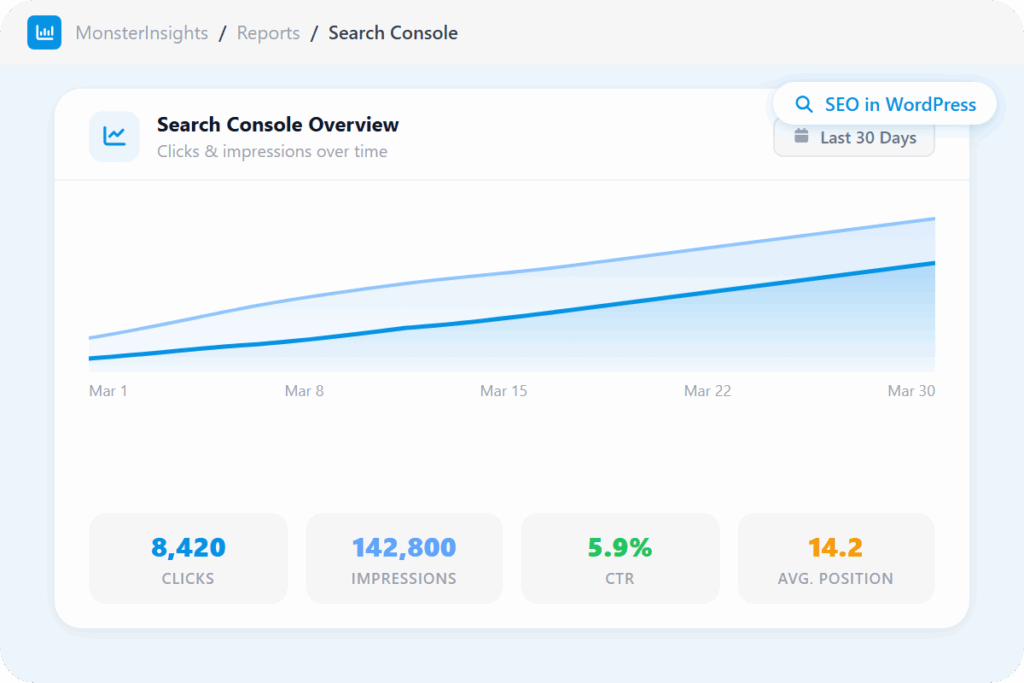
MonsterInsights connects your WordPress site to Google Search Console and surfaces your clicks, impressions, CTR, average position, and top 50 search terms directly inside your dashboard – so you always know exactly how your site is performing in Google.
Finally, a Search Console Report for WordPress that’s both Easy and Powerful
MonsterInsights makes your Google Search data clear and actionable. Here are the features that make MonsterInsights the best Search Console plugin for WordPress bloggers and content creators.
Search Console Report
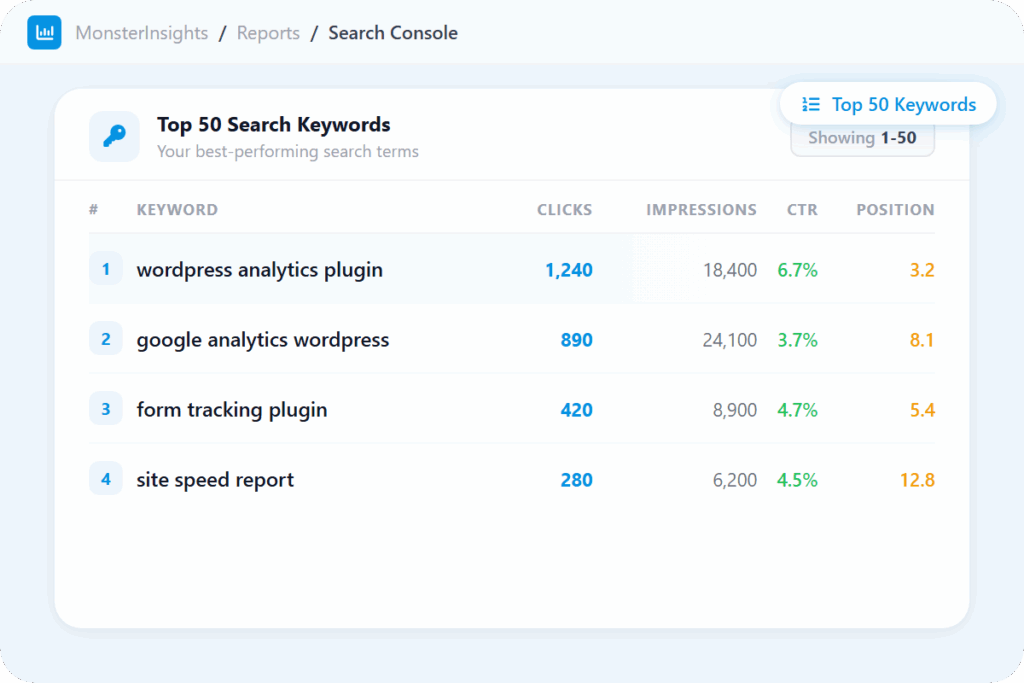
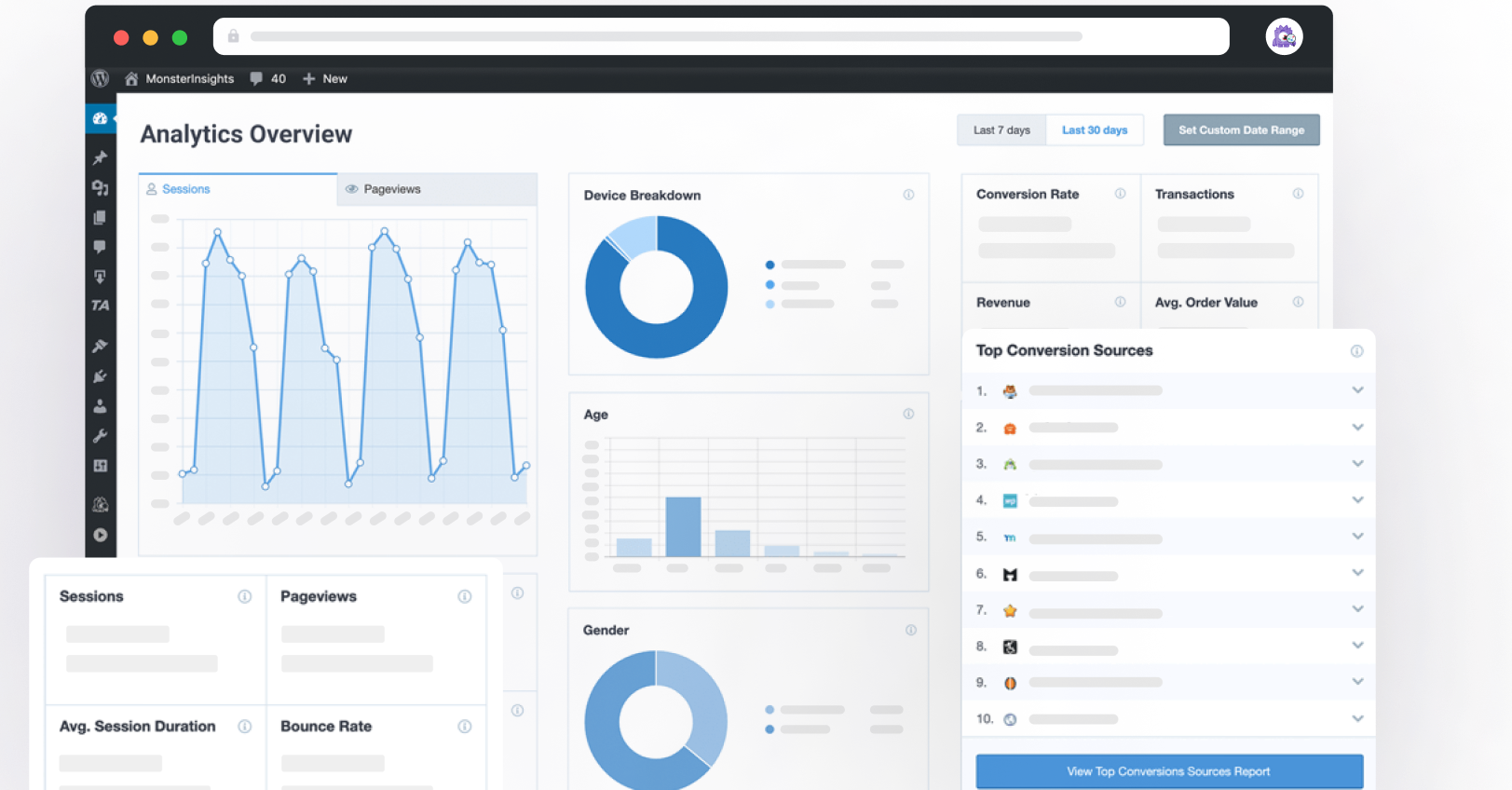
See clicks, impressions, CTR, and average ranking position over time – all in one clean dashboard inside WordPress. Monitor your top 50 search terms without ever leaving your site.
Focus Keyword Tracking
See which focus keywords from Yoast, AIOSEO, Rank Math, or SEOPress are actually bringing readers to your site. Stop guessing whether your SEO work is paying off – now you’ll know.
SEO Score Tracking
See the SEO score your plugin assigned to each post alongside its real search traffic data. Finally connect how well-optimized your content is with how it actually performs in Google.
Headline Analyzer
Score your headlines for SEO, readability, and engagement before you publish – right inside the Gutenberg editor. Better headlines mean more clicks from the same rankings.
Author Tracking
See which writers on your team are driving the most organic traffic. Use real search performance data – not gut feelings – to guide your content investment.
Category & Tag Tracking
Find out which content topics attract the most organic readers. Analyze search traffic by WordPress categories and tags to double down on your strongest niches.
Publisher Report
One report that brings together your top content, traffic trends, and affiliate link performance – so you can see not just which posts rank, but which ones actually make you money.
Custom Dimensions
Break your search performance down by author, publish date, category, tag, and more. Identify exactly which content types are ranking best and create more of what works.
Site Speed Report
A slow site hurts your Google rankings. MonsterInsights tracks your performance metrics so you can spot what’s slowing you down and measure improvement over time.
“It is so helpful that I am able to get a detailed report of my site traffic in a more advanced way. It also helped me work on driving more potential traffic and results with the help of its rich analytic tool.”
Joshua Samuel
“I love just having sensible, easy-to-understand data available at a glance.”
Peter Witham
“Straightforward for someone with no great tech skills and also really helpful friendly customer service – that makes the biggest difference in feeling confident with this product.”
Why Over 3 Million Users
MonsterInsights for Search Console Insights
Here are just a few reasons why connecting Google Search Console to WordPress is the smartest move you can make, because knowing you’re on page 2 is the first step to getting to page 1.
Your SEO Data Is Finally Where You Actually Work
Most WordPress site owners check their SEO data far less often than they should – because it means leaving the dashboard, opening another tab, and navigating a tool that wasn’t built for them. MonsterInsights fixes that by pulling your Search Console data directly into WordPress, as a clean visual graph you can read at a glance.
When checking your rankings takes seconds instead of minutes, you actually do it – and you catch problems before they slip by.
Know Which Search Terms Are Worth Building On
Publishing content without knowing which search terms actually bring you traffic is like planting seeds without checking which ones grew. MonsterInsights shows you your top 50 Google search terms – clicks, impressions, CTR, and ranking position – all in one sortable table inside WordPress.
You can see which topics Google is already rewarding you for, so your next content decision is based on real search demand instead of a hunch.
Get More Traffic From Rankings You Already Have
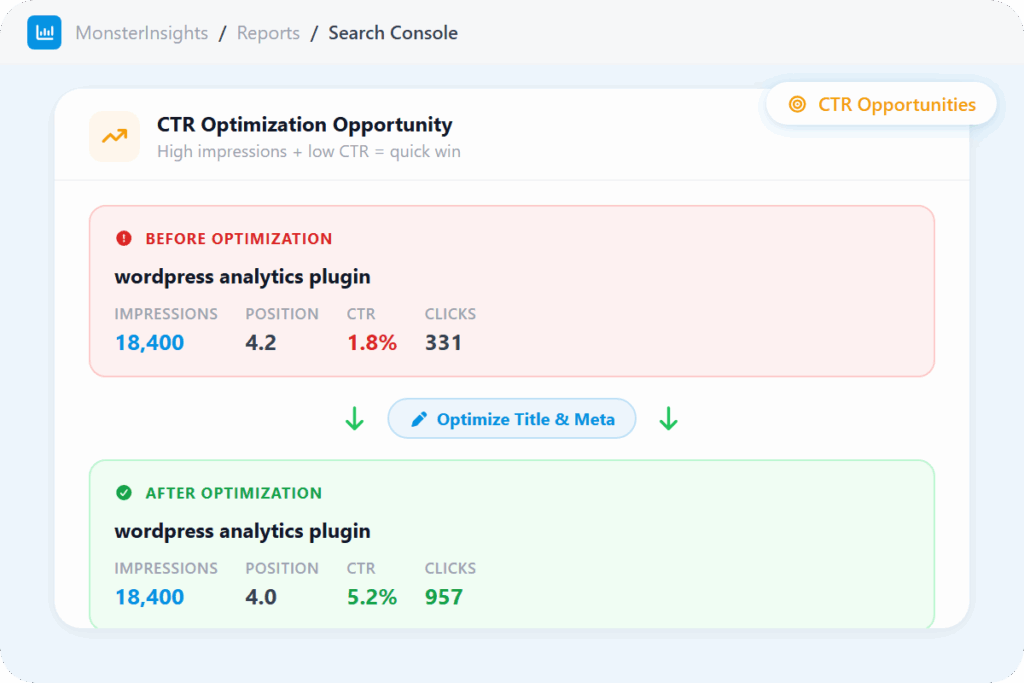
You might already be sitting on more traffic than you realize. Keywords that rank on page one but get very few clicks are free traffic waiting to be unlocked – all it takes is a better title or meta description. Sort your search terms by CTR and those opportunities surface immediately.
No new content, no link building, no waiting months for results. Just a targeted update to posts that are already in front of your audience.
Know Exactly What Caused That Traffic Spike or Drop
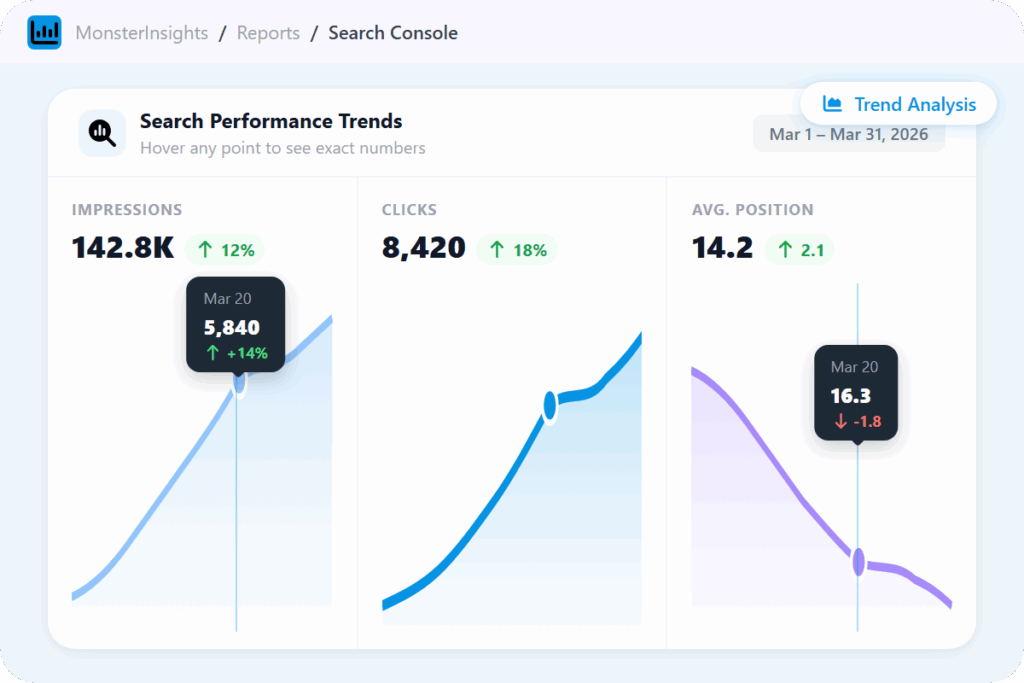
When your traffic changes, the real question isn’t “what happened” – it’s “when did it happen and why.” Three separate graphs for Impressions, Clicks, and Average Position let you pinpoint exactly which metric moved and on which day – making it easy to connect a spike or dip to a specific piece of content, a Google update, or a campaign you ran.
Hover over any point to see the exact number and whether it went up or down – the answer is right there on the graph.
Prove Your SEO Is Working – to Yourself or Your Clients
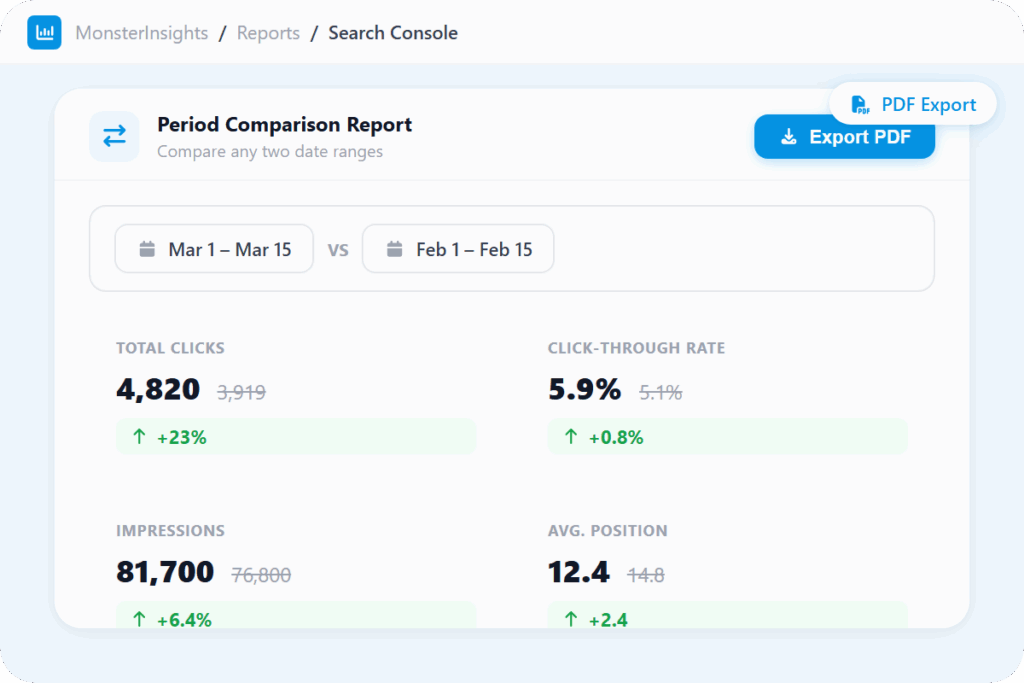
SEO is a long game, which makes it hard to show progress – especially to clients or stakeholders who want clear before-and-after evidence. MonsterInsights lets you set any custom date range to compare performance across any two periods, then export the results as a polished PDF report in one click.
No formatting, no screenshotting, no manual data pulls. Just a clean report that tells the story of your SEO growth, ready to share in seconds.
Frequently Asked Questions
Do you have questions about MonsterInsights? See the list below for our most frequently asked questions. If your question is not listed here, then please contact us.
Install MonsterInsights, then connect your Google account inside the plugin. If your site isn’t verified in Search Console yet, you’ll need to do that first through Google. After connecting, your Search Console data appears automatically in your WordPress dashboard – no coding or manual setup required.
You can see clicks, impressions, click-through rate (CTR), and average ranking position over time, plus your top 50 search terms. You can sort by any column and compare date ranges to track your SEO progress.
Search Console tells you exactly which keywords are bringing people to your site from Google – and how many of them click through. It’s the most reliable source of organic keyword data available, and MonsterInsights makes it easy to access right inside WordPress without a separate login.
Start by looking at your top 50 search terms and sorting by CTR. Keywords with strong impressions but low CTR often just need a better title or meta description – that’s a quick win. Then look for keywords ranking in positions 8-15: those are close to page one and often worth targeting with a content update.
Not at all! MonsterInsights report simplifies complex SEO data, making it accessible and understandable for users of all skill levels. It’s designed to provide actionable insights to anyone who wishes to improve their SEO strategy.
Know Exactly Where Your Content Ranks – Without Leaving WordPress.
Join over 3 million WordPress users who always know exactly where their content stands in Google.